
Multi-Way Sync
How multi-way calendar sync keeps two or more Google and Outlook calendars mutually identical in Calendox, with built-in loop prevention.
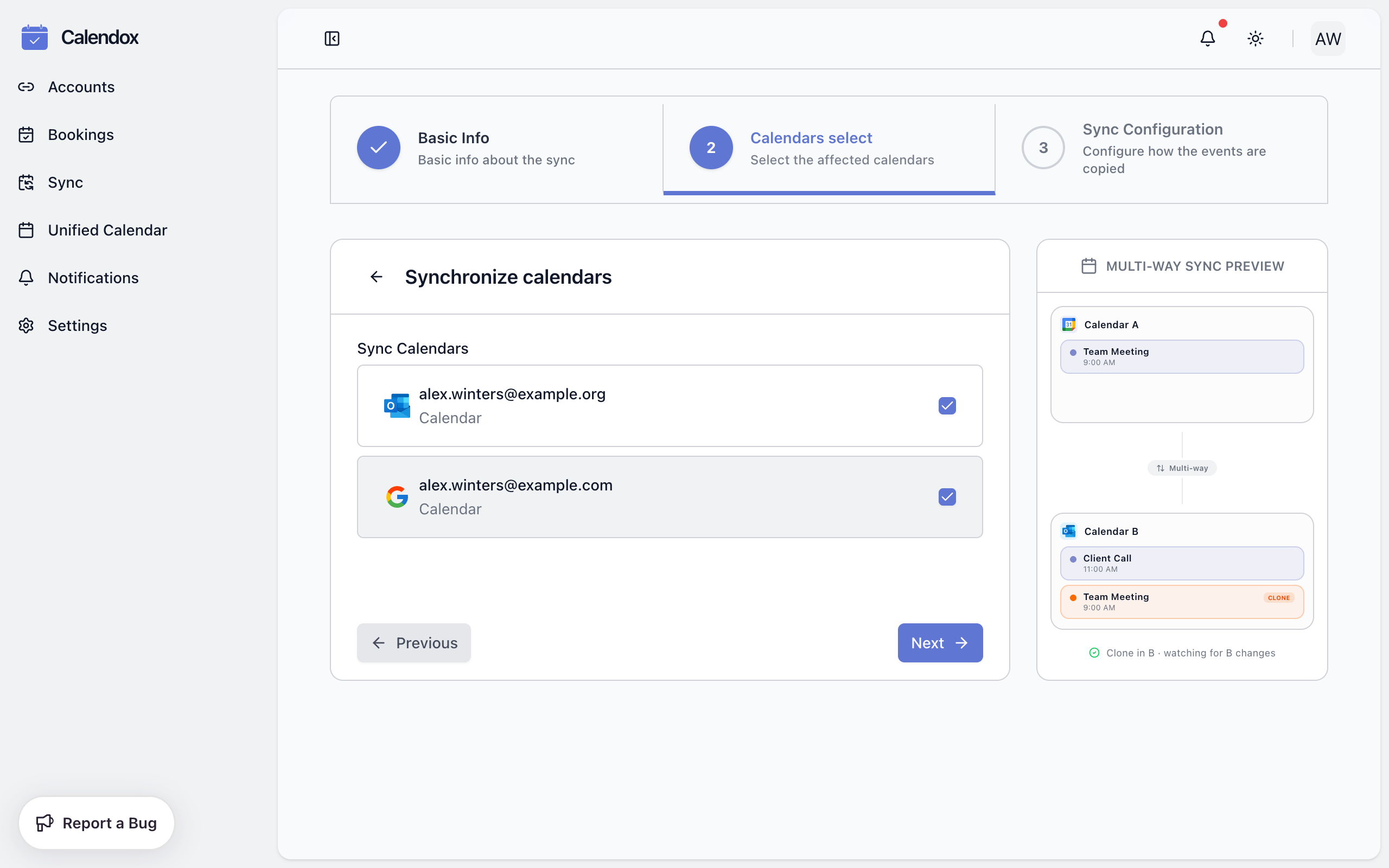
A multi-way sync keeps two or more calendars mutually identical. Every calendar in the sync is both a source and a target: an event created, edited, or deleted in any of them is reflected in all the others within seconds — so you can manage one schedule from whichever calendar is in front of you.
When should I use a multi-way sync?
- Keep a Google Calendar and an Outlook calendar in true two-way sync, so you can accept, move, or cancel meetings from either side.
- Make several personal and work calendars behave like one calendar across accounts.
If only one calendar should ever be edited and the others are read-only mirrors, a one-way sync is the better fit.
How does it work?
- When you create the sync, Calendox runs an initial copy between all participating calendars — existing events from the start of the previous month up to one year ahead are mirrored into every other calendar in the sync.
- The provider of every participating calendar notifies Calendox whenever an event changes, and Calendox keeps those connections live automatically.
- When any calendar in the sync changes, Calendox applies the change to all the others within seconds — creates, edits, deletions, and recurring-series changes alike.
How are sync loops prevented?
Copying in every direction raises an obvious question: what stops a copy from being copied again, forever? Two always-on safeguards:
- Every event Calendox creates carries internal sync metadata that identifies it as a synced copy. When a change notification arrives for one, Calendox recognizes its own copy and never re-copies it.
- An independent second guard detects events that were already mirrored into a calendar by another sync tool, and skips them instead of copying them again.
See Sync protections for the full picture, including why each calendar can only ever be in one sync.
What if the same event is edited in two calendars at once?
The change that reaches Calendox last wins and is applied to all other calendars in the sync. In practice changes propagate within seconds, so genuinely simultaneous edits to the same event are rare.
Which provider combinations are supported?
| Combination | Supported |
|---|---|
| Google ↔ Google | Yes |
| Microsoft ↔ Microsoft | Yes |
| Google ↔ Microsoft | Yes |
Each calendar in a multi-way sync must come from a different connected account, so a Google ↔ Google sync joins calendars from two different Google accounts. Two calendars on one account already show together in that provider's own calendar, so syncing them would only create duplicates.
Multi-way sync is included on every paid plan (Basic, Standard, and Premium) and during the free trial — it isn't gated to higher tiers. Each calendar in the sync counts toward your plan's connected-calendar limit; see Plans and billing.
Troubleshooting
- An edit made in one calendar appeared everywhere. That's multi-way sync working as designed — every calendar is a source. If some calendars should be read-only mirrors, use a one-way sync instead.
- "Cannot sync calendars from the same connected account." Each calendar in a multi-way sync must come from a different connected account. Keep one calendar per account in the sync.
- "One or more selected calendars are already part of a sync." A calendar can belong to only one sync, and Disabled or Failed syncs still count. Delete the existing sync first — see Sync protections.
- Another scheduling product also syncs these calendars. Calendox detects and skips events already mirrored by another sync tool, but running two sync products over the same calendars is still best avoided — retire one direction of copying to keep a single source of truth.
- The sync stays in Pending. The initial copy runs across every participating calendar, so large multi-way syncs take longer. If nothing changes after a few minutes, follow Sync status.
Next steps
- One-way sync — when targets should stay read-only
- Sync protections — loop prevention and the one-sync-per-calendar rule
- Sync status — Pending, Active, Disabled, and Failed explained
- Calendar Sync feature page