
One-Way Sync
How one-way calendar sync works in Calendox — events flow from a source calendar into target calendars, and target edits never flow back.
A one-way sync copies events from one source calendar into one or more target calendars. Changes in the source reach every target within seconds, while changes made directly in a target are never pushed back — the source stays the single origin of truth.
When should I use a one-way sync?
- Mirror your work Outlook calendar into your personal Google Calendar, so work meetings block your personal availability without switching apps.
- Push one calendar into several others at once — a single one-way sync supports multiple target calendars.
- Keep a reference copy of one calendar inside another account or provider.
If you want edits made in any calendar to reach all the others, use a multi-way sync instead.
How does it work?
- When you create the sync, Calendox runs an initial copy of the source's events into each target — everything from the start of the previous month up to one year ahead.
- The source calendar's provider notifies Calendox whenever an event changes, and Calendox keeps that connection live automatically.
- From then on, every create, edit, and deletion in the source is applied to the targets within seconds of the change — no polling, no manual refresh.
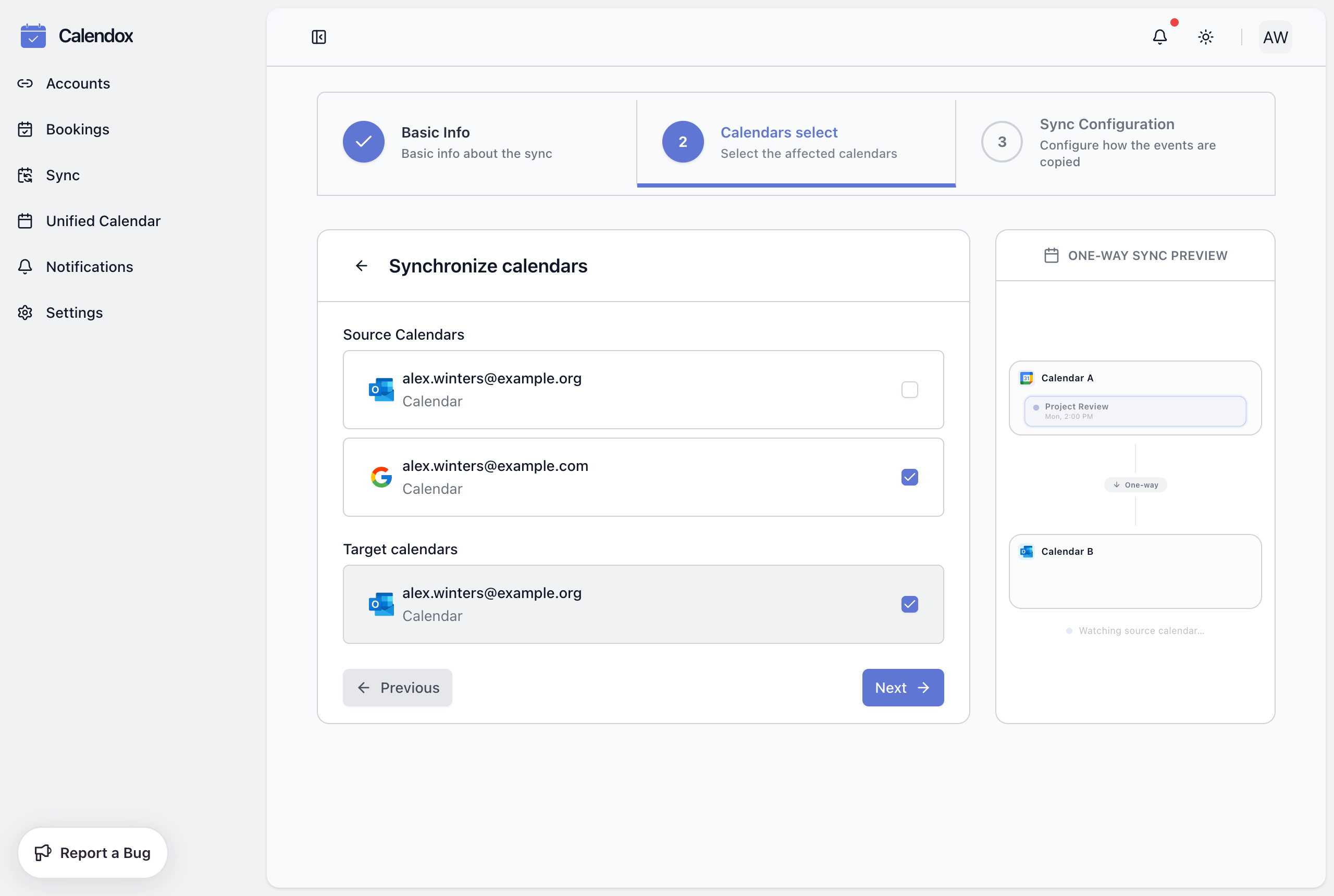
What happens to each change?
| Change in the source | Result in each target |
|---|---|
| Event created | A synced copy is created |
| Event edited | The copy is updated |
| Event deleted | The copy is removed |
| Recurring series created or edited | The series is copied, including changes to individual occurrences |
Copies carry only the event fields you selected under Sync Properties (title, description, participants, location, meeting link) and are stamped with your Clone Identifier so you can tell them apart from originals — see Create your first sync for every option. Special Google entries — birthdays, working location, focus time, out of office, and events created automatically from Gmail — are not copied; they're provider features rather than meetings.
What happens to events already in the target?
Nothing. A one-way sync only manages the copies it created. Events that already lived in the target calendar — and anything you add there later — are left untouched.
Edits you make directly to a synced copy in the target aren't sent back to the source, and the next change to the source event overwrites them. To change a synced event for good, edit it in the source calendar; to remove one, delete the source event rather than the copy.
Troubleshooting
- The sync stays in Pending. Large calendars take longer on the initial copy. If nothing changes after a few minutes, follow Sync status.
- Copies are missing the description, participants, or meeting link. Only the fields ticked under Sync Properties are copied. Sync properties are set at creation, so to change them, delete the sync and recreate it with the fields you want.
- You're reminded twice about every meeting. Recreate the sync with Disable Reminders enabled — copies are then created without notifications, and the original still reminds you once.
- An event you created in the target didn't appear in the source. That's the design of one-way sync — targets never write back. Use a multi-way sync if you need edits to flow in both directions.
- A calendar can't be added to the sync. A calendar can belong to only one sync, and both calendars must come from different connected accounts — see Sync protections.
Next steps
- Multi-way sync — when every calendar should accept edits
- Sync status — Pending, Active, Disabled, and Failed explained
- Sync protections — how duplicates and loops are prevented
- Calendar Sync feature page
What is Calendar Sync?
How Calendox calendar sync works — one-way and multi-way syncs between Google Calendar and Outlook, real-time propagation, and plan limits.
Multi-Way Sync
How multi-way calendar sync keeps two or more Google and Outlook calendars mutually identical in Calendox, with built-in loop prevention.