
Keep Calendars Synced During a Tenant Migration
By CalendoxPublished Updated 9 min read
In short
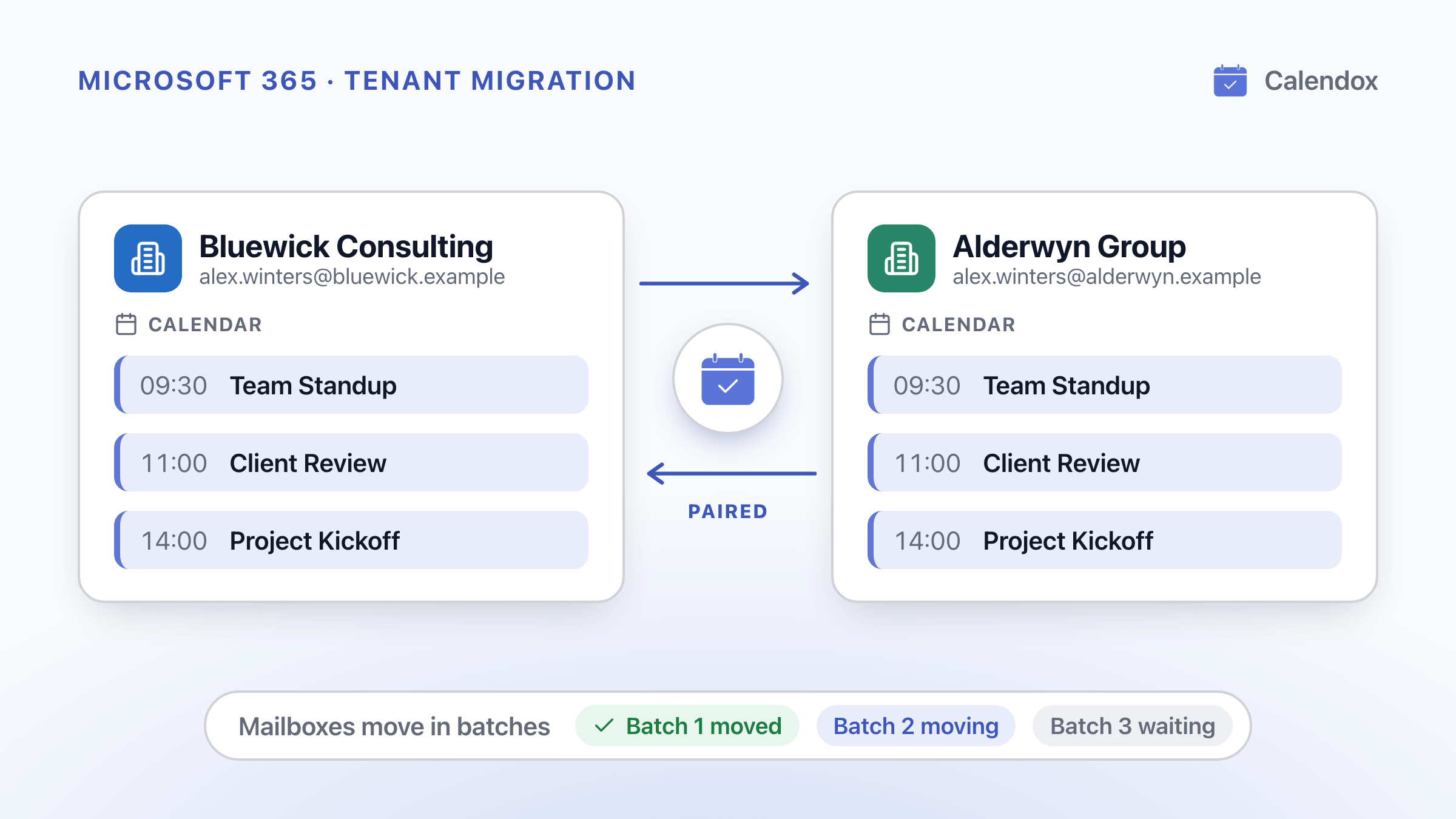
During a Microsoft 365 tenant-to-tenant migration, cross-tenant mailbox migration only moves a mailbox once; keeping calendars in step between the two tenants for the weeks the project runs is a separate problem, left to free/busy sharing or a sync tool like Calendox Enterprise.
- Cross-tenant mailbox migration moves a mailbox once, calendar included, and deletes the source mailbox. It is not an ongoing sync, and Microsoft says cross-tenant mailbox and calendar permissions aren't supported.
- Microsoft lists free/busy sharing between the source and target tenant as a coexistence task to plan. It uses an organization relationship or the Cross-Tenant Access Policy, neither of which copies meetings.
- Starting on or soon after October 1, 2026, Microsoft disables Exchange Web Services tenant by tenant. Sharing that still depends on it stops, so a long coexistence window needs the Cross-Tenant Access Policy.
- Calendox Enterprise pairs master- and secondary-tenant calendars and copies events between them, but moves no mailboxes — delete a person's sync before their mailbox migrates, recreate it once they land.
Does Microsoft 365 keep calendars in sync during a tenant-to-tenant migration?
No. A tenant-to-tenant migration moves mailboxes from one Microsoft 365 organization into another, often in phased batches, with a period where users exist in both tenants. For that whole window, the source tenant and the target tenant are two separate organizations in active use — and Microsoft's guidance for that window is free/busy sharing between the tenants, which doesn't copy meetings between their calendars.
What Microsoft does provide is two different things that are easy to conflate:
- Cross-tenant mailbox migration moves a mailbox, calendar included, from the old tenant to the new one — once, for each person, on their migration day.
- Cross-tenant calendar sharing (an organization relationship today, moving to the Cross-Tenant Access Policy) lets the two tenants see each other's free/busy time while the project runs.
Neither one copies a meeting into both tenants' calendars at once. The first retires the old copy; the second lets one tenant look at the other's availability.
What does cross-tenant mailbox migration actually move?
Microsoft's cross-tenant mailbox migration moves a user's Exchange Online mailbox — calendar included — into a different Microsoft 365 tenant, for a merger or divestiture. A few things follow from how it works:
- It's a one-time move. Once it succeeds, Microsoft deletes the source mailbox, so there's nothing left in the old tenant to keep in step with the new one afterward.
- Each migrated user needs a licence. Microsoft requires a one-time, per-user add-on licence for every mailbox moved this way.
- Teams meeting links break. Teams meetings on the calendar move with it, but Microsoft says their links stop working in the new tenant, so they have to be removed and recreated there.
- Cross-tenant permissions aren't supported. Microsoft says cross-tenant mailbox and calendar permissions aren't supported, so people who share access need to be moved in the same batch.
For one person's mailbox on migration day, that's the whole story: it lands in the new tenant, old copy gone. The harder question is what happens to everyone else's view of that person in the weeks before and after their own move.
How do migrated and not-yet-migrated mailboxes see each other's free/busy during the project?
With the same cross-tenant sharing any two Microsoft 365 organizations use. Free/busy between the source and target tenant is set up with an organization relationship or the Cross-Tenant Access Policy that replaces it for free/busy, calendar and MailTips sharing between Microsoft 365 organizations. Microsoft says the policy is rolling out and may not have reached your tenant yet, so check Message Center first.
Microsoft's own tenant-to-tenant migration planning guidance calls out calendar free/busy sharing between the source and target tenant as one of the things to plan for during the project, alongside mail routing and Teams federation — it's on the checklist, not something migration sets up for you.
A few things worth knowing about the policy itself:
- It's inbound only. Each tenant controls what the other tenant's users can read from it, so two-way sharing during the migration needs a complementary policy configured in both tenants.
- You choose how much the other tenant sees. Free/busy can be time only or include subject and location, and calendar sharing can go further; none of it copies a meeting into the other calendar.
- Microsoft lists it as a coexistence task to plan, alongside mail routing and Teams federation, for the period when users exist in both tenants.
What changes as Microsoft disables EWS from October 2026, and why does it matter mid-migration?
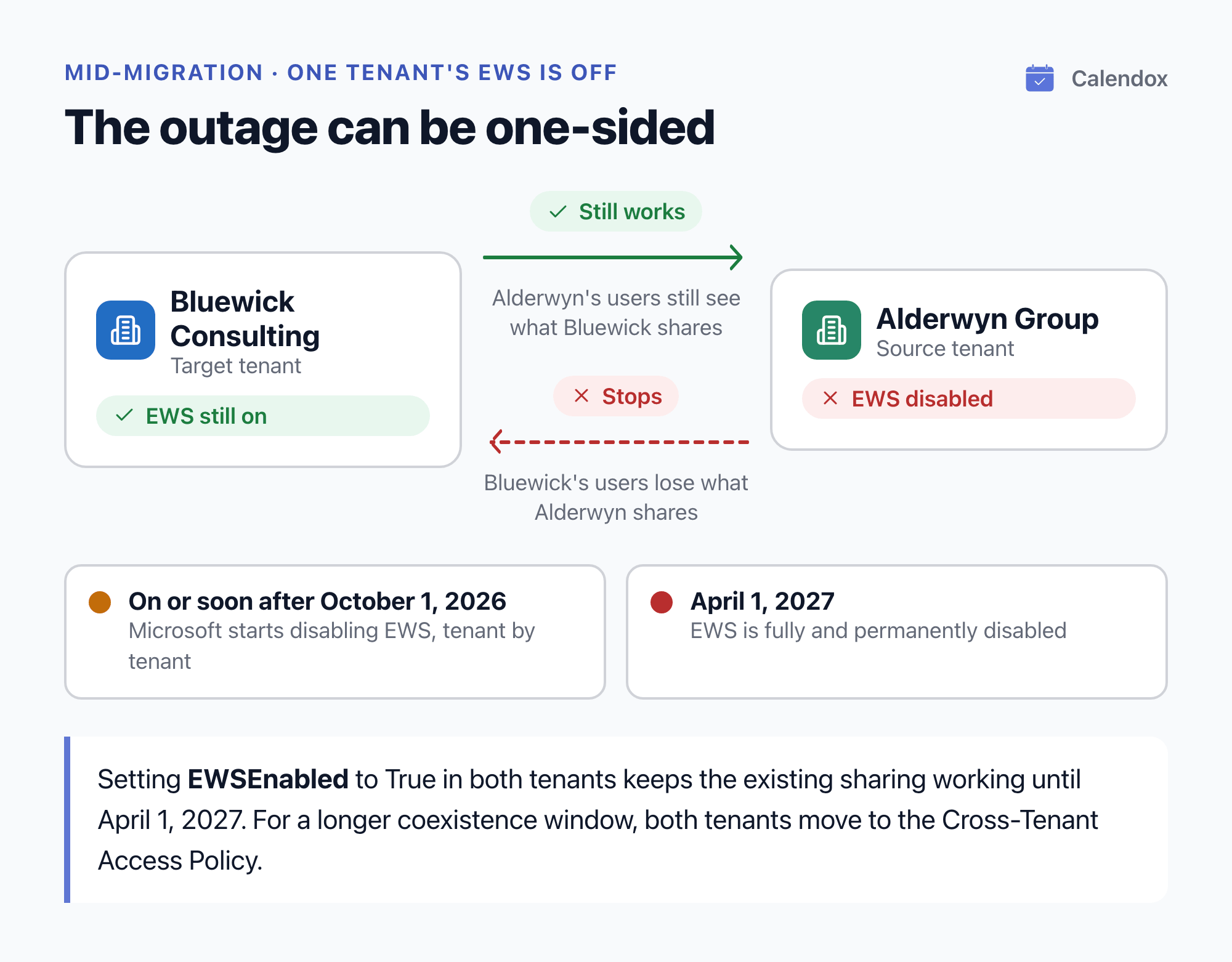
Starting on or soon after October 1, 2026, Microsoft disables Exchange Web Services in Exchange Online tenant by tenant, fully and permanently from April 1, 2027. As the shutdown reaches a tenant, cross-tenant free/busy, MailTips and calendar sharing that still depends on EWS stops working — and an outage can be one-sided: if only one tenant's EWS is off, its users lose what the other tenant shares while the other tenant's users still see what it shares.
For a migration running over several weeks, that timing matters:
- If the coexistence window overlaps October 2026 to April 2027, check whether either tenant's EWS has already been disabled before relying on an organization relationship for the duration.
- Move both tenants to the Cross-Tenant Access Policy once Microsoft's rollout reaches them and before EWS is disabled. If the organization relationship you use for sharing is also the one your mailbox migration uses, Microsoft says to move the migration settings to a new one first.
- As a stopgap, Microsoft says setting
EWSEnabledtoTruein both tenants keeps the old sharing working until the April 1, 2027 deadline — useful if the migration itself can't wait for the policy to be set up first, but it only buys time for the same existing sharing.
What happens to a calendar sync tool connected to a mailbox that gets migrated?
Microsoft's cross-tenant mailbox migration page doesn't cover what happens to a third-party sync tool connected to the mailbox. It describes what happens to Teams links and cross-tenant calendar permissions, not to a calendar sync product that was reading or writing to the mailbox before it moved.
What follows from how the migration itself works: the source mailbox is deleted once the move succeeds, so any connection pointed at it stops working at that point. Calendox's own steps for a Microsoft 365 mailbox that moves follow the same pattern: delete the syncs that use it, connect the mailbox where it lives now, then create the syncs again. The practical answer is to treat a migrating mailbox's external connections as something you disconnect before the move and reconnect after, rather than something that survives it — see how Calendox itself handles this below.
How does Calendox Enterprise keep calendars paired during a tenant migration?
Calendox Enterprise pairs calendars between two Microsoft 365 tenants and copies events between them — it's useful for the coexistence weeks of a migration, but it is not a migration tool, and it moves no mailboxes:
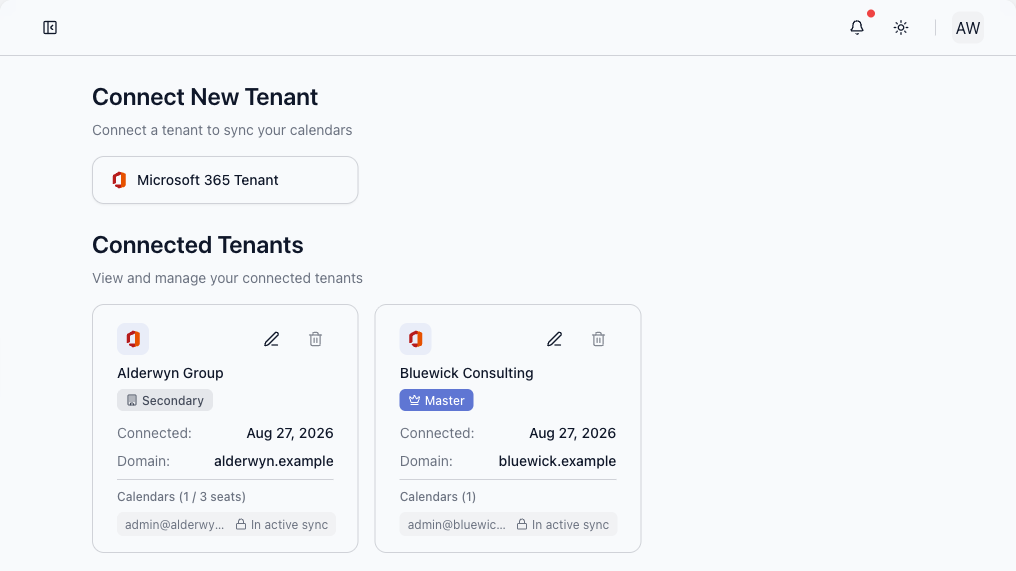
- Connect both tenants. A tenant administrator with a mailbox of their own grants admin consent once per tenant; employees never sign in to Calendox. The first tenant connected becomes the master tenant and its calendars don't count against your seats; any other tenant is a secondary tenant, where each calendar connected uses one seat.
- Map the calendars. Calendox pairs a master-tenant calendar with a secondary-tenant calendar automatically when both the email username and the calendar name match, ignoring case. Anything without a confident match is left for an admin to pair by hand (CSV import is also available from Manage Tenant).
- Create the syncs. After an initial copy, Microsoft notifies Calendox as soon as an event changes, so changes reach the paired calendar within seconds.
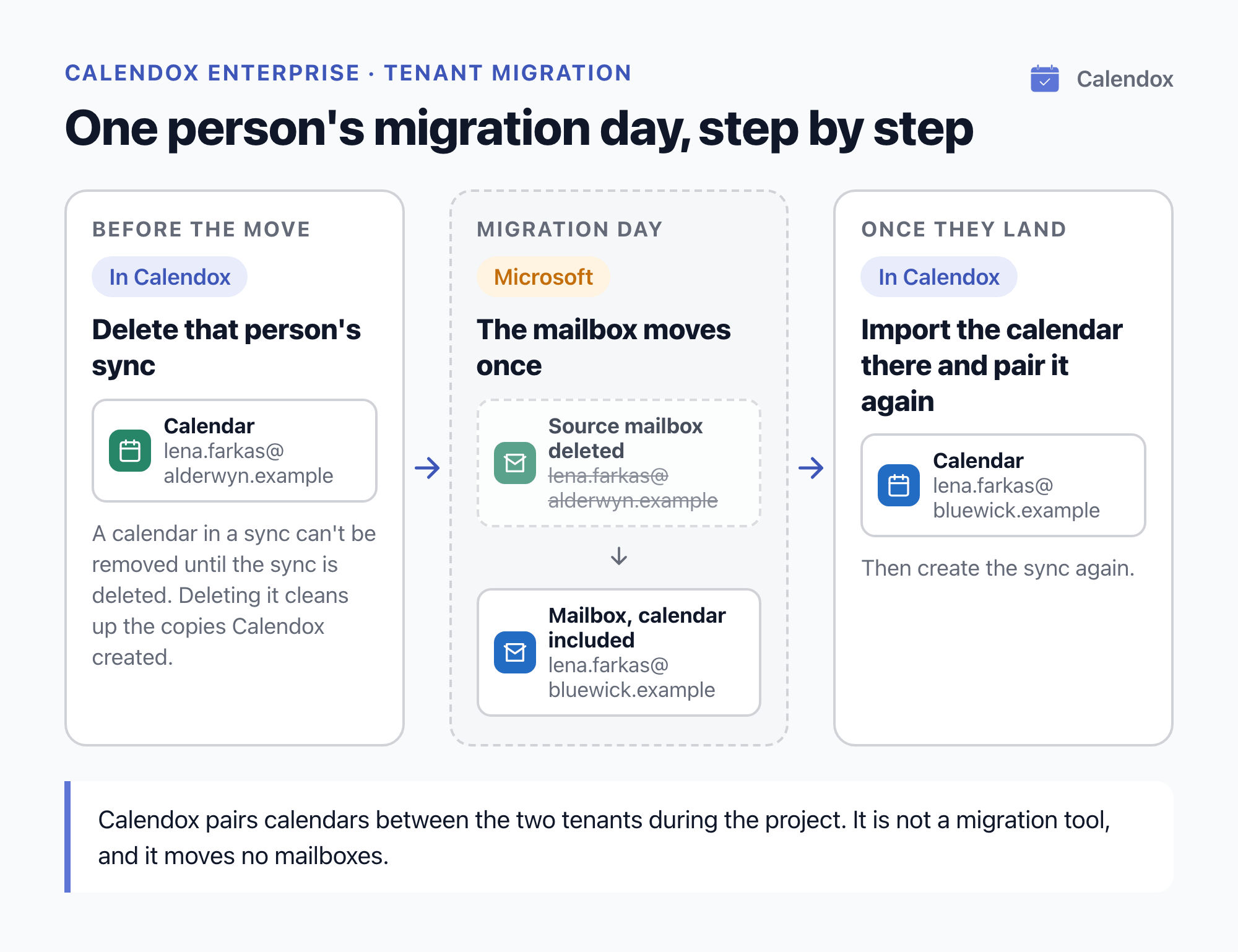
Because an Enterprise sync pairs specific calendars, not accounts that can be relied on to resolve themselves, migrating a paired mailbox needs a step on your side too: Calendox's own docs don't say what happens to a sync when its secondary-tenant mailbox is migrated out of that tenant mid-project, so until they do, treat it the same way you would any other mailbox deletion —
- Delete that person's sync before their migration day. A calendar that's part of a sync, in any status, can't be removed from Dashboard → Accounts directly — delete the sync first.
- Recreate it once they land. Once the person's mailbox exists in the target tenant, import their calendar there and pair it again — as the new master-tenant side if the target tenant is the one you've made your master, or as a secondary-tenant calendar otherwise.
- Deleting a sync cleans up its copies. The copies Calendox created are removed with the sync (except on a calendar Calendox can no longer reach, where you can choose to leave them), so both paired calendars lose the copies Calendox created before the move. Originals are untouched.
Calendox never stores event titles, descriptions or locations — only sync metadata and a one-way content fingerprint. Enterprise is sync only: no booking pages, no Unified Calendar, and tenant-wide connection is Microsoft 365 only.
What do administrators ask most about calendar sync during a tenant migration?
Does cross-tenant mailbox migration keep two tenants' calendars in sync?
No. It moves a mailbox once, calendar included, into the new tenant and deletes the source mailbox. There's no ongoing sync — once someone has migrated, their old tenant has no copy of their calendar left to stay in step with anything.
How do people see each other's availability before everyone has migrated?
Through an organization relationship or the Cross-Tenant Access Policy, set up between the source and target tenant the same way it would be between any two separate Microsoft 365 organizations. Neither copies the meeting into the other tenant's calendar; what the other side sees depends on the access level you set.
Does the EWS shutdown affect a migration that's already in progress?
It affects whatever free/busy sharing the migration is relying on while it runs. If that sharing is still an organization relationship rather than the Cross-Tenant Access Policy, it can stop working as Exchange Web Services is disabled in either tenant, which Microsoft does tenant by tenant starting on or soon after October 1, 2026, and fully from April 1, 2027.
What happens to a Calendox Enterprise sync when its paired mailbox migrates?
Calendox's docs don't yet describe this case, so the safe path is to delete that person's sync before their mailbox moves and recreate it once they're set up in the new tenant. Calendox never moves a mailbox itself.
Can Calendox Enterprise replace cross-tenant mailbox migration?
No. Calendox Enterprise pairs calendars across two tenants and keeps copies of events in step between them; it doesn't move a mailbox, a licence or a user's identity from one tenant to another. It's a way to keep calendars aligned while a migration project is under way, not a substitute for the migration itself.
Sources
- Microsoft Learn: Cross-tenant mailbox migration
- Microsoft Learn: Microsoft 365 tenant-to-tenant migrations
- Microsoft Learn: Organization relationships in Exchange Online
- Microsoft Learn: Migrate to Microsoft 365 Cross-Tenant Access Policy for sharing Free/Busy, Calendars, and MailTips
- Exchange Team Blog: Exchange Online EWS, Your Time Is Almost Up
- Exchange Team Blog: Cross-tenant Free/Busy, MailTips, and Calendar Sharing are moving to Cross-Tenant Access Policy
Related reading
Calendox vs CB Exchange Server Sync: Tenant Sync and Price
Calendox and CB Exchange Server Sync compared: what each syncs, price per user or calendar against price per pair, Microsoft 365 tenant pairing and trials.
Calendox vs SyncPenguin: Pricing, Quotas and Tenant Sync
Calendox and SyncPenguin compared: calendars supported, sync speed, per-user and per-flow pricing, update quotas and Microsoft 365 tenant-to-tenant sync.
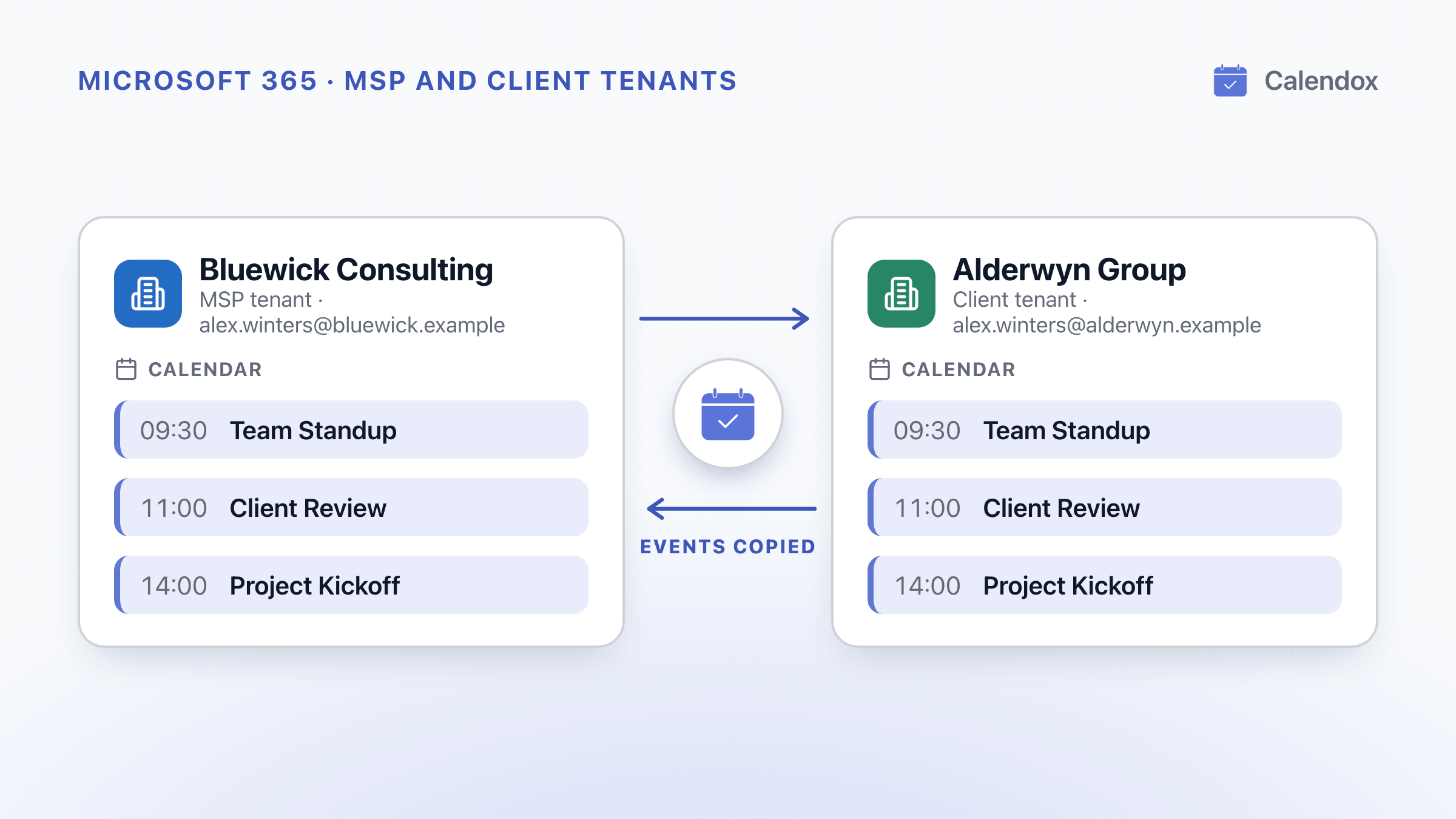
MSP Calendar Sync Across Client Tenants
Why an MSP can't natively sync calendars with a client's Microsoft 365 tenant, and what actually copies events between the two, not just availability.