
Sync Teams Meetings to Google Calendar
By CalendoxPublished Updated 9 min read
In short
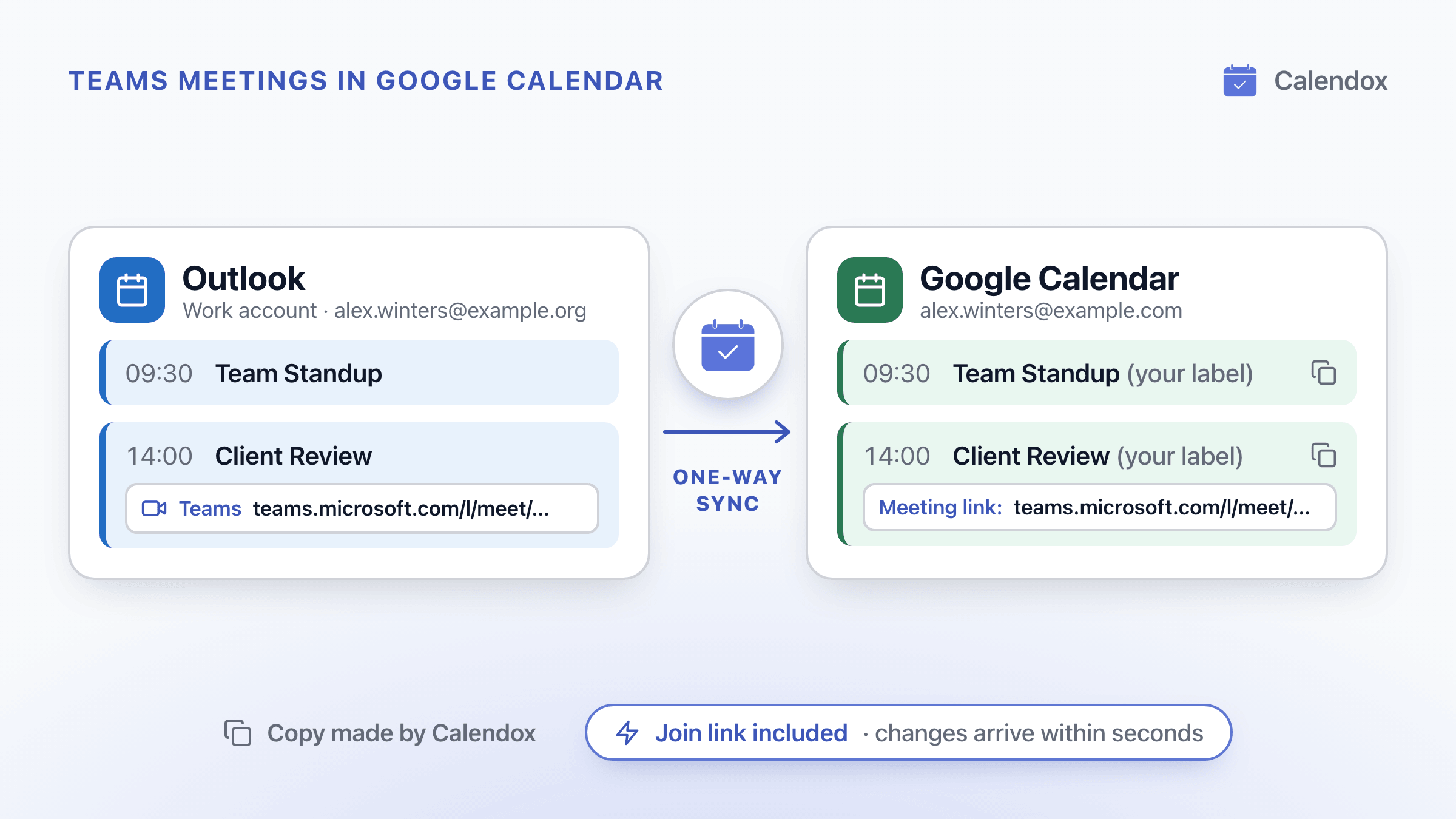
Microsoft says its Google Workspace–Teams calendar sync is no longer supported from October 2026. To get the Teams meetings in your Outlook calendar into Google Calendar, copy them with a Calendox one-way sync with Meeting ticked. Join links come across, and changes arrive within seconds. Google Calendar shows a join button on Outlook invites with a Teams link, and Microsoft's add-on schedules new Teams meetings.
- Microsoft Learn says calendar syncing between Google Workspace and Microsoft Teams is no longer supported from October 2026, and calendars set up for it no longer sync.
- Google says Google Calendar now shows a "Join video call" button on an Outlook invite that carries a Teams, Zoom or Webex link, with nothing to turn on.
- Microsoft says Teams meetings scheduled with its add-on for Google Calendar appear only on the Google calendar and don't sync with other Microsoft calendars.
- A Calendox one-way sync with Meeting ticked copies a work Outlook calendar's Teams meetings, join links included, into Google Calendar, and changes arrive within seconds.
Does Microsoft sync Teams meetings to Google Calendar on its own?
Not from October 2026. Microsoft describes its feature for businesses that use Google Workspace and Microsoft Teams as bidirectional calendar syncing. Microsoft Learn says that beginning October 2026 it is no longer supported, and calendars that were set up for syncing no longer sync.
What's left depends on what you need in Google Calendar:
- a join button on a Teams invite someone sends you;
- a way to start Teams meetings from Google Calendar;
- the meetings already in your work Outlook calendar, kept up to date.
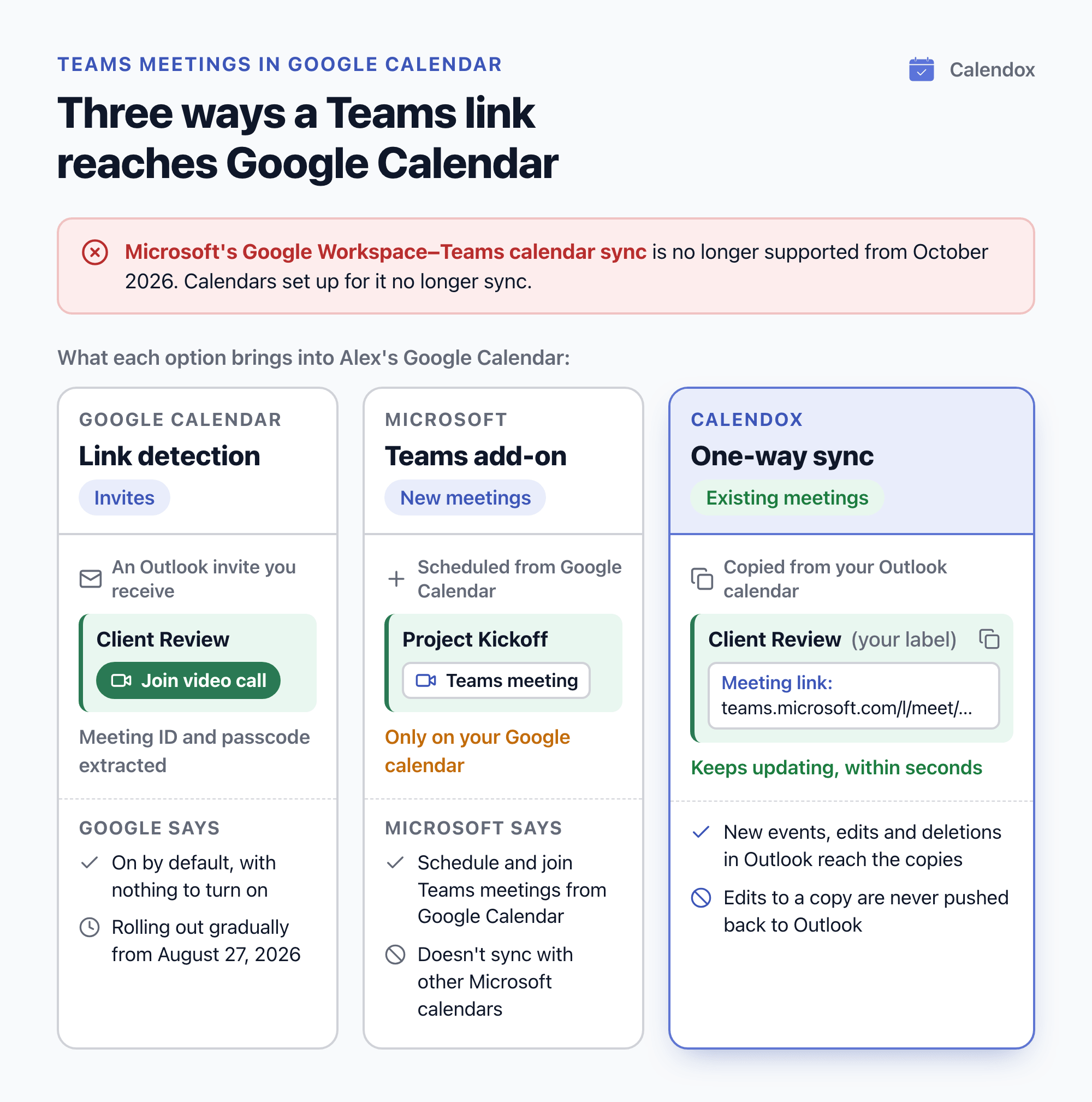
Say Alex Winters has Client Review, a Teams meeting, in a work Outlook calendar, and plans the day in Google Calendar. Each option brings a different part of that picture across:
| Option | What reaches Google Calendar | Scope, as documented |
|---|---|---|
| Google Calendar's link detection | A "Join video call" button on the invite, with the meeting ID and passcode extracted | Google describes it for invites you receive from an external system such as Microsoft Outlook, and adds the link to invites you send |
| Microsoft's Teams meeting add-on | Teams meetings you schedule from Google Calendar | Microsoft says they appear only on your Google calendar |
| Calendox one-way sync | Copies of the Outlook calendar's events, join links included when Meeting is ticked, kept current within seconds | Edits made to a copy are never pushed back to Outlook |
To copy the Outlook meetings themselves, set up a one-way sync.
What is happening to the Google Workspace–Microsoft Teams calendar sync?
Microsoft is ending it from October 2026. Its setup page on Microsoft Learn also says:
- admins can no longer manage their custom domain or the calendar sync from the Admin app in Teams;
- admins can still manage their custom domain in the Microsoft admin center.
Microsoft lists three ways to prepare:
- Tell users. Notify end users that their calendars will no longer sync.
- Save the account-matching details. Retrieve any account-matching information you want to refer to later from the Admin app in Teams.
- The Teams Meeting add-on. Users who want to schedule Teams meetings from Google Calendar can use the Microsoft Teams Meeting add-on for Google Workspace, covered below.
Where does the Teams join link sit in an Outlook meeting?
In classic Outlook, at the bottom of the meeting body. Microsoft says that when you add Teams to an Outlook meeting in classic Outlook, the Teams details are added to the bottom of the meeting body:
- a link to join the meeting;
- a meeting ID and passcode;
- a link for an audio-only call-in.
In Outlook for Mac, Microsoft says, the Teams meeting details are added after you send the invitation.
Will Google Calendar show a Teams join button automatically?
Yes, on invites you receive from Outlook, since Google's August 2026 update. Google says it looks for Teams, Zoom or Webex details in the description or location of an invite from an external system such as Microsoft Outlook. Google Calendar now:
- extracts the meeting URL, meeting ID and passcode or PIN into structured video conferencing data;
- shows a "Join video call" button on the event, on the web, Android and iOS.
Google says that before this update, joining a third-party meeting from an external invite meant copying and pasting the URL or passcode out of the description. On invites you send to people who use Outlook, Google Calendar now also puts the Teams, Zoom or Webex link in the event's Location field.
What Google says about availability:
- On by default. There's no admin control and nothing for users to turn on.
- Workspace and personal accounts. It covers all Google Workspace customers, Google Workspace Individual subscribers and personal Google accounts.
- Gradual rollout. An extended rollout started on August 27, 2026, and Google says the feature may take longer than 15 days to appear.
Google describes this for invites. To see the meetings already in a work Outlook calendar in Google Calendar, with their join links, you can copy them with a sync.
Can you schedule a Teams meeting straight from Google Calendar?
Yes, with Microsoft's Teams meeting add-on. Microsoft says the add-on lets you schedule and join Teams meetings from Google Calendar:
- Install it. Install the Teams add-on from the Google Workspace Marketplace or from Google Calendar.
- Sign in. Open the add-on, select Sign in, sign in to the Microsoft work or school account you use for Teams, then select Authorize Access.
Microsoft lists these limits for meetings scheduled with the add-on, on its add-on and scheduling pages:
- They appear only on your Google calendar and don't sync with other Microsoft calendars.
- Meeting and AI notes, passcode generation and Copilot aren't supported.
- Attendees don't get Cloud Video Interop join options.
- During the meeting, the title shows as "Microsoft Teams meeting" rather than the title in the invitation.
Microsoft's add-on page also says the add-on doesn't currently sync with Google Calendar. To sync your Teams and Google calendars, it says to contact your IT admin. So the add-on is for starting Teams meetings from Google Calendar, not for seeing your Outlook meetings there.
How do you sync Teams meetings from Outlook to Google Calendar?
Sync the Outlook calendar into Google Calendar with a Calendox one-way sync, and tick Meeting. A one-way sync copies events from one source calendar into one or more targets. It's how you mirror a work Outlook calendar into a personal Google Calendar, so work meetings block your personal availability without switching apps. Create your first sync has the full walkthrough.
To also block that time privately and share one booking link that checks both calendars, see stop double-booking work and personal calendars.
- Start a trial. Create a Calendox account. The 14-day free trial needs no credit card.
- Connect both accounts. Connect the Microsoft work or school account that holds the Teams meetings, and the Google account that should receive the copies. In a one-way sync, the target must come from a different connected account than the source.
- Create a one-way sync. Choose the Outlook calendar as the source and the Google calendar as the target. If edits made in either calendar should reach the other, use a multi-way sync instead.
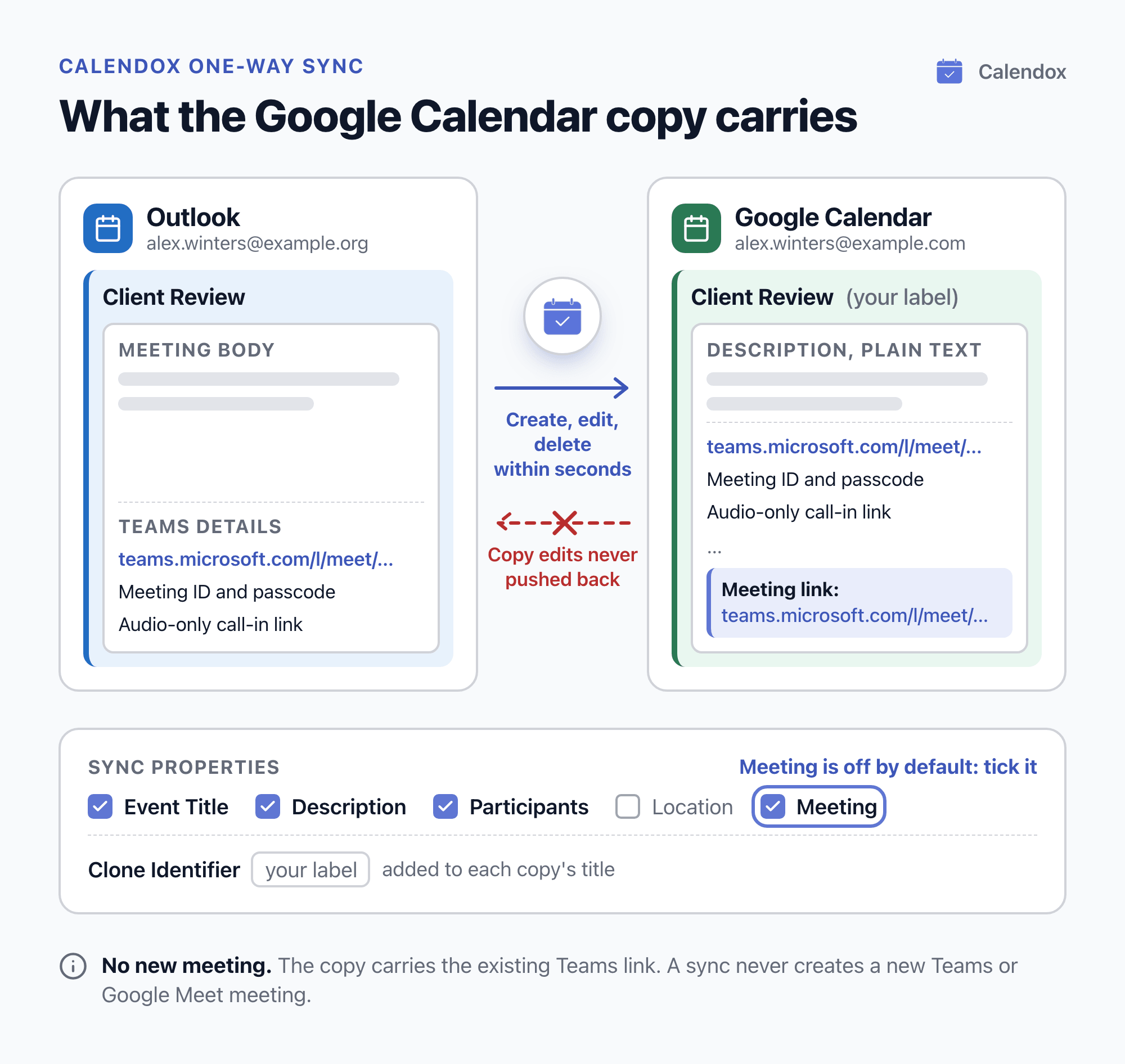
- Tick Meeting. Sync Properties lists Event Title, Description, Participants, Location and Meeting. A new sync starts with Event Title, Description and Participants ticked, but not Meeting, so tick Meeting. Unticked fields are left off the copies.
- Submit. Calendox first copies existing events from the start of the previous month up to one year ahead, recurring series included. After that, Microsoft notifies Calendox the moment an Outlook event changes. Every create, edit and deletion reaches the Google Calendar copy within seconds, with no polling.
Sync properties are set when the sync is created. To change them later, delete the sync and create it again with the fields you want.
What does the Google Calendar copy carry?
The fields you ticked, plus your Clone Identifier label. For a Teams meeting from Outlook:
- Meeting adds the Teams join link Outlook holds for the meeting to the copy's description, on its own "Meeting link:" line.
- Description copies the Outlook meeting body, converted to plain text for Google Calendar. Microsoft says classic Outlook adds the Teams details to the body, so they come across too.
- Participants lists the attendees in the copy's description. The copy itself has no attendees, so no invitations are sent.
- Clone Identifier adds your short label to each copy's title, so you can tell copies from originals.
The copy carries the existing join link: a sync never creates a new Teams or Google Meet meeting for it.
What happens in Google Calendar as the Outlook calendar changes:
| In the Outlook calendar | In Google Calendar |
|---|---|
| An event is created | A copy is created |
| An event is edited | The copy is updated |
| An event is deleted | The copy is removed |
| A recurring series is created or edited | The series is copied, with changes to individual occurrences |
Changes made directly to a copy in Google Calendar are never pushed back to Outlook, so edit the meeting in Outlook. For edits in both directions, see how to sync Outlook and Google Calendar both ways.
Calendox doesn't store your event content. Titles, descriptions and locations pass through to the provider and are never written to the Calendox database.
What do people ask about Teams meetings and Google Calendar?
Does Microsoft Teams sync with Google Calendar?
Not through Microsoft's own Google Workspace calendar sync from October 2026: Microsoft Learn says it's no longer supported. Microsoft's add-on page tells people who want their Teams and Google calendars in sync to contact their IT admin. To copy the Teams meetings in your Outlook calendar into Google Calendar, create a Calendox one-way sync with Meeting ticked.
Why did my Teams meetings stop appearing in Google Calendar?
If your organization used Microsoft's Google Workspace–Teams calendar sync, Microsoft says calendars that were set up for it no longer sync from October 2026. To copy the Teams meetings in your Outlook calendar into Google Calendar, create a Calendox one-way sync with Meeting ticked.
Can someone join a Teams meeting from Google Calendar without a Microsoft account?
Yes, though not for every meeting. Microsoft says you can join a Teams meeting from any device without signing in to a Teams account. It adds that for some meetings, admin settings prevent unverified people from joining. Depending on the meeting, you may need to enter a one-time passcode sent to your email or create a Teams account.
Does a Calendox sync create a new Teams meeting?
No. It copies the existing join link and never creates a new Teams or Google Meet meeting for the copy. An edit to the Outlook meeting still reaches the copy within seconds.
Can a Google Calendar event get its own Teams link in Calendox?
Yes, if you create or open the event in Calendox's Unified Calendar and pick Microsoft Teams in its Meeting field. For a Google calendar this needs a Teams meeting app connection with a Microsoft work or school account. Calendox then creates a standalone Teams meeting hosted by that account and saves the join link on the event.
Which Calendox plan does this need?
Basic is enough for one calendar pair: it includes 2 connected calendars and 2 active syncs. One-way and multi-way sync are both included on every paid plan and during the trial. Current prices are on the pricing page.
Sources
- Microsoft Learn: Set up calendar syncing between Google Workspace and Microsoft Teams
- Microsoft Support: Add Teams to an Outlook meeting
- Google Workspace Updates: Improving Google Calendar's interoperability with third-party video conferencing solutions
- Microsoft Support: Join from Google (install the Teams meeting add-on)
- Microsoft Support: Schedule a Microsoft Teams meeting from Google calendar
- Microsoft Support: Join a meeting without an account in Microsoft Teams
Related reading
Calendox vs Reclaim.ai: Calendar Sync Compared
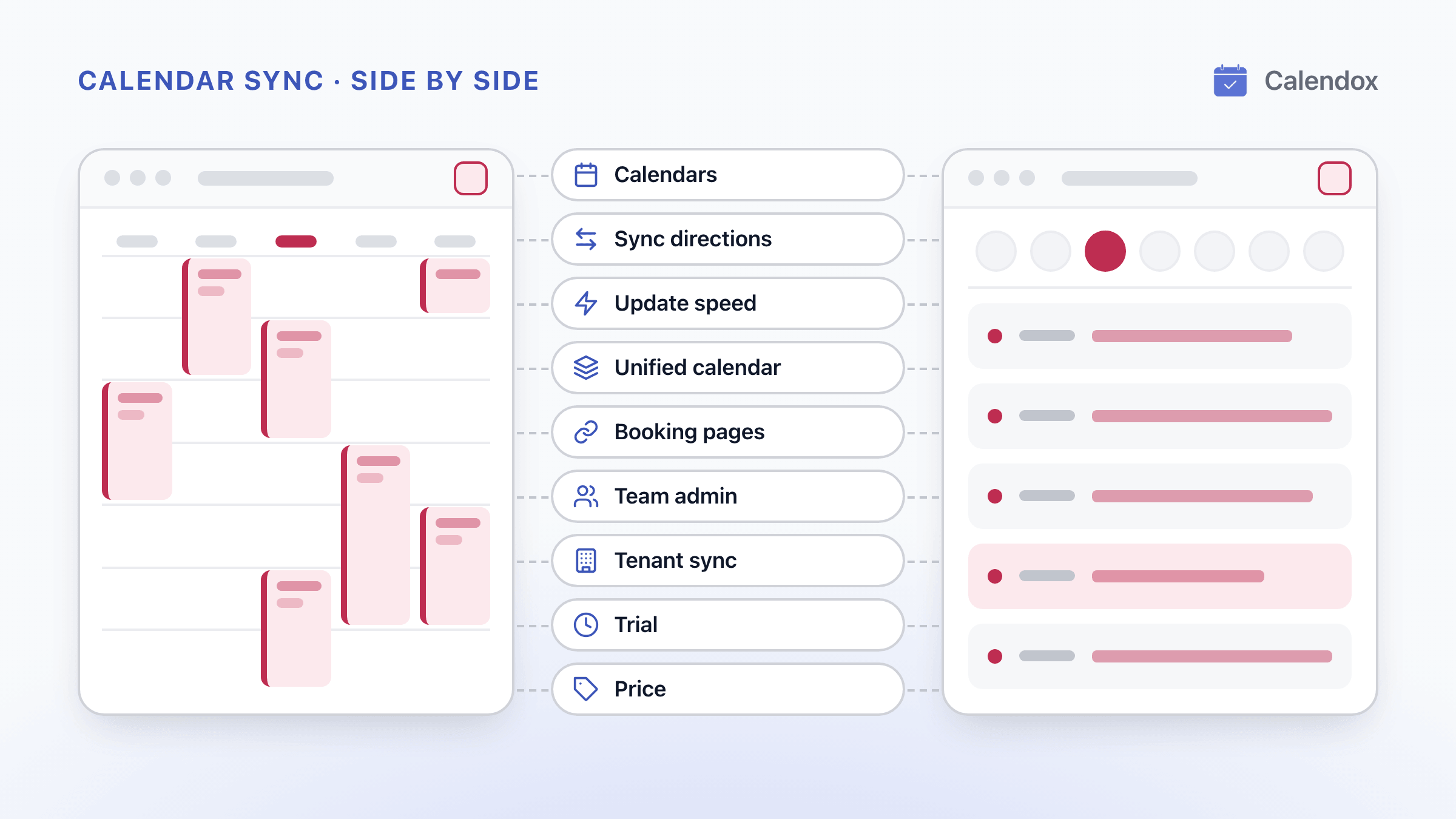
Calendox and Reclaim.ai compared on Google and Outlook calendar sync, multi-way sync, booking pages, unified calendars, tenant sync and price per user.
Sync Outlook and Google Calendar Both Ways
What Outlook and Google Calendar's built-in options do, where Microsoft and Google say each one stops, and how to keep both calendars in two-way sync.
Calendox vs Keeper.sh: Calendar Sync, Features and Price
Calendox and Keeper.sh compared: calendars supported, multi-way sync, what copies carry, unified calendar, booking pages, team admin, tenant sync and price.