
Calendox vs SYNCDATE: Sync, Booking Pages and Pricing
By CalendoxPublished Updated 10 min read
Calendox publishes this page and is one of the two products compared. SYNCDATE details come from the public sources linked under Sources; we have not tested SYNCDATE hands-on. How we compare
In short
Calendox and SYNCDATE both copy events one way or both ways between Google and Microsoft calendars. Calendox adds booking pages and an editable unified calendar on every Personal and Business plan, on-premises Exchange Server calendars, team administration on Business and admin-run Microsoft 365 tenant sync on Enterprise. It suits people who book meetings and edit events where their calendars sync.
- Both products copy events one way or both ways between Google and Microsoft calendars. SYNCDATE also connects CalDAV calendars, and Calendox also connects on-premises Exchange Server calendars.
- Every Calendox Personal and Business plan includes booking pages and an editable unified calendar. SYNCDATE's combined view is read-only, and its site says event copying solves a different part of the booking problem.
- On Calendox Enterprise, one admin consent per Microsoft 365 tenant lets an admin pair and sync calendars across tenants; no employee signs in. SYNCDATE syncs only the calendars each person connects.
- The Calendox trial runs 14 days with no card, at Premium-level limits on Personal and Business. SYNCDATE's 7-day trial of Plus or Pro needs a card, and SYNCDATE Free ($0) covers 2 calendars and 1 sync.
Why Calendox
Booking pages on the same plan
Booking pages come with every Personal and Business plan, offer only the times when your connected calendars are free, and add a Google Meet, Teams or Zoom link where the destination supports it.
A calendar you edit in, not only view
On Personal and Business plans, an event you create or edit in any of the unified calendar's six views is saved to the Google, Microsoft or Exchange Server calendar it belongs to.
One admin consent per tenant
On Enterprise, each Microsoft 365 tenant's administrator consents once, and a Calendox admin then imports and pairs calendars across tenants from a dashboard, with no employee signing in.
14 days to try it, no card
On Personal and Business, the trial runs 14 days at Premium-level limits without a credit card, and if it ends before you subscribe, your syncs pause and your connections and settings are kept.
Feature comparison
| Feature | Calendox | SYNCDATE |
|---|---|---|
| Unified calendar (Calendox advantage) | Yes, Web app, Personal and Business | Partly, Read-only; edits in the provider apps [8] |
| Booking pages with meeting links (Calendox advantage) | Yes, 2 on Basic, then unlimited (fair use) | No, Not offered, per its comparison page [7] |
| Microsoft 365 tenant-to-tenant sync (Calendox advantage) | Yes, Admin-run, on Enterprise accounts | No, No admin-run pairing between tenants [10] |
| 14-day free trial, no credit card (Calendox advantage) | Yes, Premium-level on Personal and Business | Partly, 7 days with a card; SYNCDATE Free ($0) [1] |
| Google Calendar and Outlook calendars | Yes, No shared-mailbox calendars | Yes, Shared Outlook calendars as sources too [10] |
| Apple iCloud or other calendar services | No, No iCloud; Exchange Server is supported | Yes, CalDAV, iCloud included; iCal feeds [2] |
| One-way and multi-way sync | Yes, On every plan | Yes, Push one-way, Mirror two-way [4] |
| Near real-time Google and Microsoft sync | Yes, Typically under a minute | Yes, “Usually in under a minute” [2] |
| Field choice and event filters | Partly, Fields and privacy, no filters | Yes, Fields, rules, RSVP and keyword filters [2] |
| More than 25 calendars per user | No, Up to 25 on Premium, with 25 syncs | Yes, 100 on Pro, a soft limit [1] |
| Team administration | Partly, Roles and seats, no SAML or SCIM | Partly, Owner role; billing and roster; 5+ seats [9] |
- Yes
- Partly
- No
- Calendox advantage
Pricing compared
| Scenario | Calendox | SYNCDATE |
|---|---|---|
| One person syncing two calendars with one sync, billed monthly (Calendox Basic: 2 calendars, 2 syncs, 2 booking pages) (billed per user) | Basic, $5/month | SYNCDATE Free, $0/month (flat per account; 2 calendars, 2 accounts, 1 sync, 30 days ahead, a SYNCDATE label on copies, no time limit) [3] |
| One person with up to 5 syncs, billed monthly (Calendox Standard: 5 calendars, 5 syncs) (billed per user) | Standard, $9/month | Plus, $11.99/month (flat per account; 20 calendars, 5 accounts, 5 syncs, 1 year ahead) [1] |
| One person with up to 5 syncs, billed annually (Calendox Standard: 5 calendars, 5 syncs) (billed per user) | Standard, $7/month billed annually ($84/year) | Plus, $119.99/year (flat per account, billed yearly; 20 calendars, 5 accounts, 5 syncs, 1 year ahead) [1] |
| One person on each product's highest individual plan, billed monthly (Calendox Premium: 25 calendars, 25 syncs) (billed per user) | Premium, $22/month | Pro, $21.99/month (flat per account; 100 calendars, 20 accounts, 20 syncs, all soft limits, no date limit) [1] |
| One person on each product's highest individual plan, billed annually (Calendox Premium: 25 calendars, 25 syncs) (billed per user) | Premium, $17/month billed annually ($204/year) | Pro, $219.99/year (flat per account, billed yearly; 100 calendars, 20 accounts, 20 syncs, all soft limits, no date limit) [1] |
Calendox prices are in USD, and taxes may apply by country. SYNCDATE prices are as published on its website.
Details
| Feature | Calendox | SYNCDATE |
|---|---|---|
| Calendars supported | Google Calendar, Microsoft Outlook (Microsoft 365, plus Outlook.com, Hotmail and Live) and on-premises Exchange Server 2016 or later (your own mailbox calendars). No iCloud, CalDAV or .ics feeds. | Google Calendar, Outlook and Microsoft 365, plus any CalDAV server (iCloud included), all two-way; iCal feeds as read-only sources. On-premises Exchange Server is not listed on SYNCDATE's website. [2] |
| Sync directions | One-way: one source copied into targets in other connected accounts. Multi-way: two or more calendars, each from a different connected account, in one sync. A calendar can be in only one sync. | Push (one-way) with several sources and several targets in one sync, or Mirror (two-way). On paid plans a calendar can be in more than one sync, and a sync's direction can be changed later. [4] |
| Update speed | Google and Microsoft changes usually arrive within seconds, because those providers notify Calendox as soon as an event changes. Exchange Server changes arrive within about 5 minutes. | Google and Outlook changes “usually reach the other calendar in under a minute”; notification delivery, provider limits and retries can add delay. CalDAV calendars are checked about every 10 minutes. [7] |
| Unified calendar | Included on every Personal and Business plan. A working calendar with six views that writes new events and edits back to Google, Microsoft or Exchange Server. | A read-only combined view of all connected calendars, in day, week, month and agenda layouts. Events are created and edited in the provider apps. [8] |
| Booking pages | On every Personal and Business plan: 2 pages on Basic, unlimited on Standard and Premium (fair-use limits apply), with Google Meet, Teams or Zoom links where the destination supports them. | Not offered. SYNCDATE's comparison page says to evaluate scheduling-link features if the job is to let clients book a slot, as its event-copying workflow solves a different part of that problem. [7] |
| Team administration | Business accounts have Admin and Member roles, per-seat billing for the team, and licenses that admins assign to members. | Team: custom pricing, billed per seat for 5 or more, with Pro limits on each seat. The owner manages billing, the roster and Team-wide sync rules. [9] |
| Microsoft 365 tenant-to-tenant sync | Enterprise accounts sync calendars between two or more Microsoft 365 tenants. Each tenant's administrator consents once, so no employee has to sign in. | Not offered. Permissions are delegated only: a Microsoft 365 admin can approve SYNCDATE's scopes for the tenant, but each person connects and syncs their own calendars, with no admin-run pairing. [10] |
| Trial | 14-day free trial, no credit card required. On Personal and Business it carries Premium-level limits; if it ends without a subscription, syncs pause. | 7-day trial of Plus or Pro, with a card required upfront and charged when the trial ends. SYNCDATE Free ($0) has no time limit and needs no card, with 2 calendars and 2 accounts. [1] |
Choose Calendox if…
- You want booking pages on the same plan as your syncs, with Google Meet, Teams or Zoom links where the destination calendar supports them.
- You want one calendar view where you can also create and edit events, with changes written back to Google, Microsoft or Exchange Server.
- You have calendars on your organization's own Exchange Server 2016 or later and want them in the same syncs as your Google and Microsoft 365 calendars.
- You want one admin consent per Microsoft 365 tenant to cover tenant-to-tenant sync, instead of each person connecting the calendars they can access.
- You want to try the full product for 14 days without entering a card.
- You connect several Google or Microsoft accounts but sync only a few calendars from each: Calendox counts imported calendars, not connected accounts.
Questions
How is Calendox different from SYNCDATE?
Calendox adds booking pages and an editable unified calendar on every Personal and Business plan, team administration on Business and admin-run Microsoft 365 tenant sync on Enterprise. SYNCDATE's combined view is read-only. Its comparison page says that letting clients book a slot calls for scheduling-link features, because its event copying solves a different part of that problem. Both products copy events one way or both ways between Google and Microsoft calendars. SYNCDATE also connects CalDAV calendars and iCal feeds, and Calendox also connects on-premises Exchange Server calendars.
Is Calendox cheaper than SYNCDATE?
It depends on the plan and the billing cycle, so the pricing table above sets like-for-like scenarios side by side. SYNCDATE's plans are flat per account, not per user, each with its own allowance of calendars, connected accounts and syncs, while Calendox Personal plans are priced per user and Business seats cost the same per seat.
- For two calendars and one sync, SYNCDATE Free ($0) costs nothing, with copies up to 30 days ahead and a SYNCDATE label on each copy. Calendox Basic is a paid plan that also includes 2 booking pages and the unified calendar.
- For five syncs, Calendox Standard costs less than SYNCDATE Plus billed monthly and billed annually, as the table's second and third scenarios show.
- At the top individual tier, Calendox Premium costs a cent more than SYNCDATE Pro billed monthly and less billed annually, as the table's last two scenarios show.
Current Calendox prices are on the pricing page, in US dollars before tax.
How do the two products count plan limits?
SYNCDATE caps connected accounts, syncs and calendars separately, while Calendox counts only the calendars you import and the syncs you run.
- SYNCDATE: 2, 5 or 20 connected accounts, 1, 5 or 20 syncs and 2, 20 or 100 calendars across all syncs on Free, Plus and Pro, per its plans and limits page. A Push is weighted as sources times targets, and on Pro the calendar, account and sync limits can be raised through support, per its pricing page. A Mirror holds 2, 4 or 5 calendars by plan, per its known limitations.
- Calendox: Basic allows 2 calendars and 2 syncs, Standard allows 5 and 5, and Premium allows 25 and 25. Connecting a Google, Microsoft or Exchange Server account doesn't use a slot; each calendar you import takes one. One multi-way sync holds two or more calendars, each from a different connected account, and a one-way sync copies a single source into one or more targets. A calendar belongs to at most one Calendox sync.
Plans and billing lists each Calendox plan's limits.
What does a synced copy show on each?
On Calendox you choose, for each sync, whether copies carry the title, description, participants, location and meeting link, and you can mark copies private, turn their reminders off and add a label. The settings are fixed when the sync is created, so to change them you delete and recreate the sync (one-way sync). Calendox has no event filters; it copies every event except Google's special entries, such as birthdays, focus time and out-of-office blocks.
On SYNCDATE, copies into shared calendars and one-way pushes arrive titled Busy by default, and a two-way mirror between calendars you own starts with the real titles, per its privacy and security page. Each SYNCDATE sync also chooses what a copy carries, per its features page: the title as Busy, the real title or your own text, plus the description, location, guests, meeting link, reminders and privacy, with custom text on every plan and if-this-then-that rules from Plus. Its filter settings let a sync skip events by your RSVP, all-day events, events marked free, titles containing a phrase, or anything outside one days-and-hours window, and the features page adds a source-privacy filter.
Can Calendox connect an on-premises Exchange Server?
Yes. Calendox connects calendars on your organization's own Exchange Server 2016 or later, alongside Google and Microsoft 365. You sign in with your Exchange mailbox address and password, which Calendox stores encrypted and sends only to that server, and import the calendars in your own mailbox. They then work in syncs with Google, Microsoft and other Exchange calendars, in the unified calendar and as booking-page destinations. A booking on an Exchange destination can carry a Zoom link; a Google Meet link needs a Google destination and a Teams link a Microsoft 365 destination. Exchange Server changes reach Calendox within about 5 minutes, sooner when your server can reach Calendox.
On-premises Exchange Server is not listed on SYNCDATE's website, whose Outlook option covers Microsoft 365, Exchange Online and work mailboxes.
How does Calendox sync calendars between Microsoft 365 tenants?
With admin consent instead of per-person sign-ins. On an Enterprise account, each tenant's administrator gives one consent for their whole Microsoft 365 organization. The Calendox admin then imports calendars from a tenant dashboard and pairs them, so no employee ever signs in. SYNCDATE's permissions are delegated only. Per its workspace admin page, a Microsoft 365 admin can approve its scopes for the whole tenant, but each person still connects and syncs the calendars they can access. SYNCDATE also lists syncing a calendar to someone else's account among the things it doesn't do.
- A seat is used by each secondary-tenant calendar you import; the first tenant you connect is the master tenant, and its calendars are free.
- Every sync pairs a master-tenant calendar with a secondary-tenant calendar, so at least two tenants must be connected.
- Calendox pairs calendars automatically when both the email username and the calendar name match, and leaves the rest for you to pair by hand or by CSV import.
- Only Microsoft 365 tenants connect this way.
Our guide to tenant-to-tenant calendar sharing and sync covers what Microsoft 365 shares between tenants on its own, before any sync tool.
Can a team share a Calendox subscription?
Yes, with a Business account. SYNCDATE's Team plan is quoted on request and billed per seat for at least five, with Pro limits on each seat, per its teams page. Calendox Business seats are priced like the matching individual plan, per the pricing page, and a team can hold licenses on more than one tier at once. Admins invite members, buy seats and give each member a license. The subscriptions belong to the team, not to any one admin. Each member then connects their own calendars and runs their own syncs, within the limits of the license they hold.
Licenses matter only once the team subscribes: until then, each member syncs on their own trial. After that, a member with no license has their syncs paused until an admin assigns one from the team's subscription.
How do the trials compare?
Calendox offers a 14-day free trial with no credit card. On Personal and Business accounts it runs at Premium-level limits, 25 calendars and 25 syncs, and on a Business team every member uses their own trial until the team subscribes. An Enterprise trial syncs up to 5 imported secondary-tenant calendars in total. You can also buy Calendox through Microsoft Marketplace, where plans include a free trial run by Microsoft; its terms are shown at checkout.
SYNCDATE's trial runs 7 days on Plus or Pro, with a card required upfront and charged when the trial ends. SYNCDATE Free ($0) has no time limit and needs no card: 2 calendars, 2 accounts, 1 sync and copies up to 30 days ahead, with a SYNCDATE label on each copy.
Do Calendox syncs keep running after the trial?
Only with a subscription. Calendox takes no card for its 14-day trial, so when the trial ends without one, your syncs pause and nothing is charged. SYNCDATE's trial works the other way round: it charges the card it took upfront when its 7 days end. Meanwhile your Calendox connections and settings stay in place, and the events that were already synced stay where they are. Subscribe, and the syncs pick up again. On Business, a member's paused syncs restart when an admin assigns them a license from the team's subscription.
Sources
- SYNCDATE: Pricing
- SYNCDATE: Features
- SYNCDATE: Free ($0)
- SYNCDATE: Direction, Mirror or Push
- SYNCDATE: Plans and limits
- SYNCDATE: Filter settings
- SYNCDATE: calendar sync tool comparison page
- SYNCDATE: View all calendars in one place
- SYNCDATE: Teams
- SYNCDATE: Workspace admin
- SYNCDATE: Known limitations
- SYNCDATE: Privacy and security
- Calendox: Plans and billing
- Calendox: Pricing
- Calendox: Enterprise accounts
- Calendox: Exchange Server (on-premises)
Related reading
Calendox vs Calensync: Multi-Way Sync, Bookings and Price
Calendox and Calensync compared: calendars, one multi-way sync or a rule per direction, unified calendar, Zoom and Teams booking links, tenant sync and price.
Calendox vs Multical: Multi-Way Sync, Teams and Pricing
Calendox and Multical side by side: how syncs are set up, what copies show, unified calendar, booking pages, team accounts, Microsoft 365 tenant sync and price.
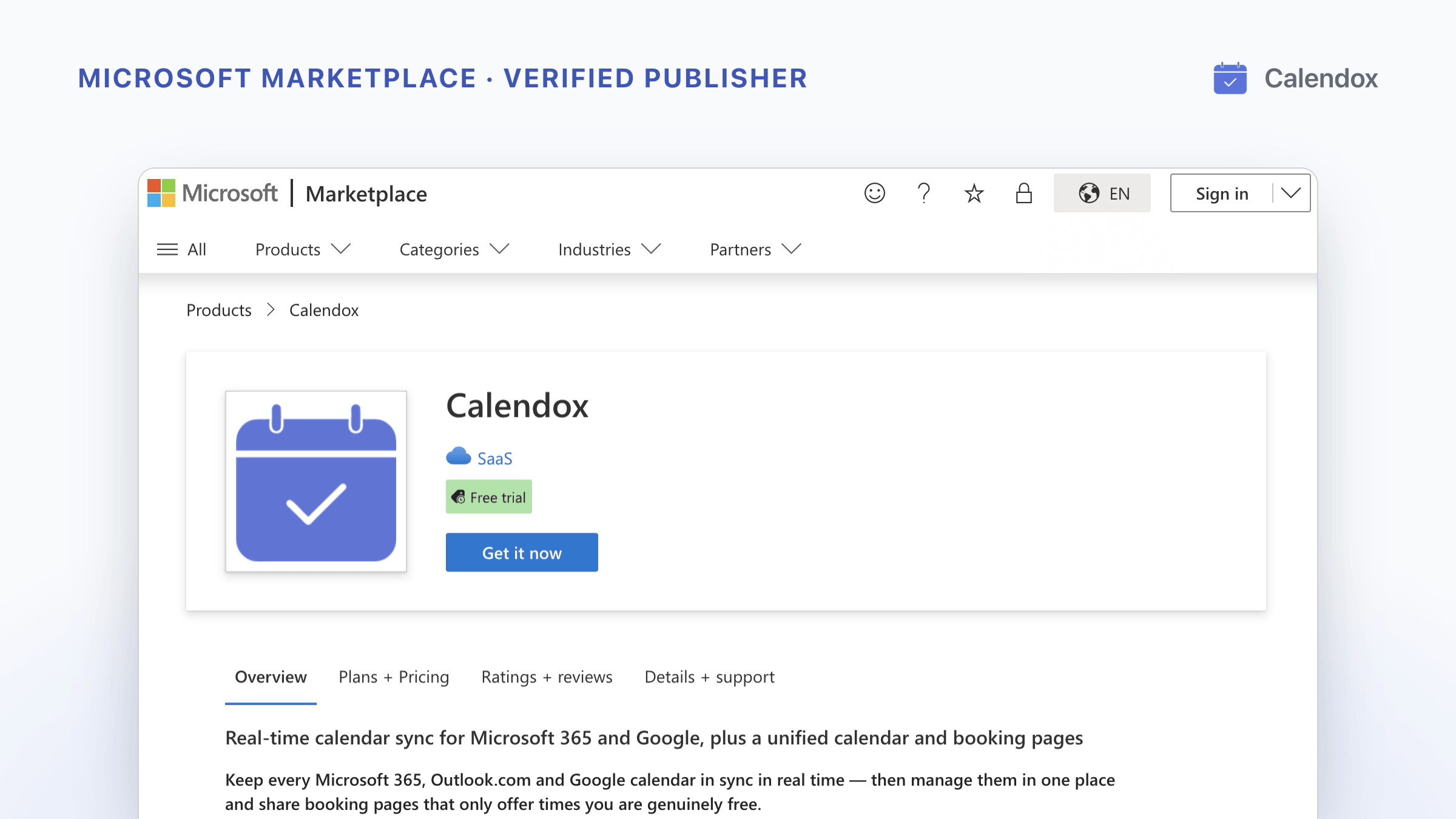
Now Available on Microsoft Marketplace
Calendox is live on Microsoft Marketplace from a Microsoft verified publisher. What Microsoft checked, and how to buy it on your Microsoft bill.